Subversion (SVN) Client
Key features  | Support for Subversion 1.8 and older (1.4 to 1.7). |
|  | Manage and browse SVN repositories through HTTP(S), SVN, SVN+SSH and FILE
protocols. |
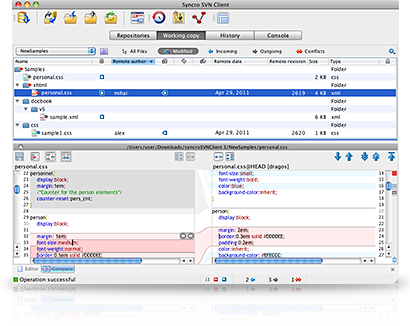
|  | Detailed representation of the content of your working copy, including
synchronization with the repository. |
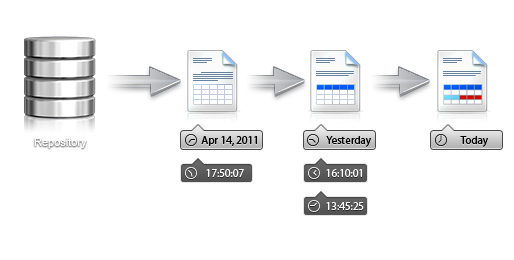
|  | Examine the history for a selected resource and find out what happened at a
certain revision. |
|  | See changes that a directory has absorbed between specific revisions, focusing on
each modified file. |
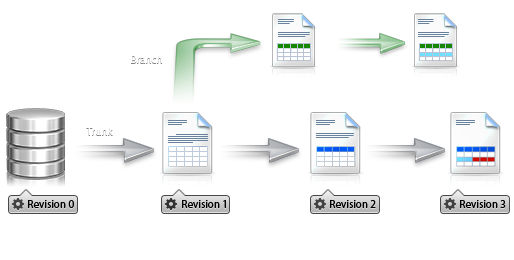
|  | See an overview of your project to know how it evolved over time. |
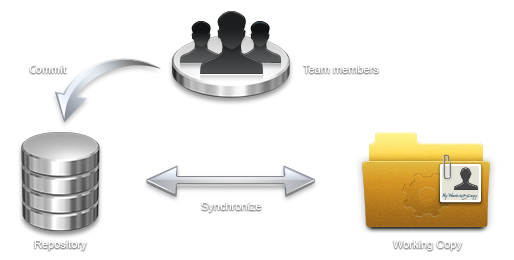
|  | Easily synchronize
changes from your working copy against the repository, using built-in diff and merge
tool. |
|  | You can inspect the author, revision number and log message for each line from a
versioned file. |
|  | Built-in text editors with syntax highlight support for different file
types. |
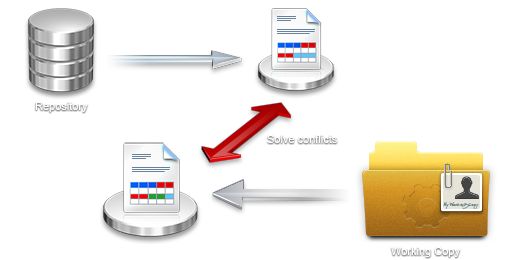
|  | Quickly resolve conflicts by visually merging file content, using the built-in
3-way compare editor. |
|  | Associate changes you make in the repository with specific issue IDs from your bug
tracking systems. |
|  | Support for managing versioned meta-data information attached to directories and
files. |
|
What's New in Syncro SVN Client 10.1
April 8, 2015
Version 10.1 of Syncro SVN Client includes a variety of improvements and bug fixes. The
Create Patch operation was completely reworked and the Merge wizard now includes a
pre-merge validation check. Also, various other operations received numerous improvements
and their list of options were updated.
Syncro SVN Client can be freely evaluated for 30 days and can be purchased for a
price of USD 59.
Improved Patch Generation Completely revamped the Create Patch operation to now
include additional patch types and options. It is now easier to create various types of
patches, particularly creating a patch with local modifications. Also, the action can
now be invoked for items from additional locations, such as the Repositories
view.
Pre-Merge Checks The Merge wizard now includes a pre-merge checks stage that
validates the working copy to help you identify possible issues that could prevent the
operation from working as expected, and also proposes tips for solving
them.
Updated the Export Operation The Export operation has been updated with new options and
was extended to additional views (History, Directory Change Set, and Revision Graph
views).
Improvements to Multiple Operations The Import, Share Project,
Switch, and Show Annotation operations have been
updated to include the complete list of options for the corresponding SVN
commands.
Complete SVN Information The Show SVN Information action now displays complete
information about items under version control, and for working copy items, it includes
detailed status information. This feature is also now available in other views (History,
Directory Change Sets, and Revision Graph views).
Other Improvements and Bug Fixes Other various improvements and bug fixes include the following: - Custom keywords are now supported.
- Improved performance for Revert and Delete
operations in the Working Copy view.
- Improved operation behavior when reverting changes from the History
view.
- Easy access to URLs that are defined in the Repositories view from various
dialog boxes.
- Improved support for peg revisions.
- Fixed issues with regards to svn:// protocol
compliance.
- Fixed encoding issues in the Create Patch and
Show Annotation operations.
- Fixed line ending and keyword related issues in the Export
operation.

|